info
For the business definition and use cases, see Monitoring Visit in Getting Started.
The Monitoring Visit module helps you manage site monitoring activities — from planning visits to approving reports. It has two entry points:
- Configuration — Set up visit types, report templates, and notification rules (Home workspace)
- Dashboard — Daily operations: view site activity, create reports, track issues (Study workspace)
Who Uses Monitoring Visit
| Role | What They Do |
|---|---|
| CRA / Site Monitor | Create visit plans and reports, record findings, create issues, submit reports for review |
| Reviewer | Review completed reports for quality and readiness, finalize for sponsor approval |
| Sponsor | Review and approve finalized reports |
| CRC / Site Staff | Respond to assigned issues, upload supporting documents |
| Data Manager | Link monitoring findings to EDC queries, track data-related closures |
| Study Manager | Monitor report statuses, overdue actions, and site risk across the study |
Report Lifecycle
Every monitoring visit report moves through these statuses:
Draft → Completed → Reviewed → Finalized → Approved
| Status | What It Means | Who Handles It |
|---|---|---|
| Draft | Report is being authored; content may be incomplete | CRA / Monitor |
| Completed | Report content is finished and ready for review | CRA / Monitor |
| Reviewed | Reviewer has checked quality and operational readiness | Reviewer |
| Finalized | Report is packaged for sponsor decision | Reviewer |
| Approved | Sponsor has accepted the final report | Sponsor |
Reports can be reopened after approval with a required reason — all actions are recorded in the audit trail.
How It Fits With Other Modules
Monitoring Visit integrates with the rest of the platform to avoid duplicate data entry:
- Subject & Visit Data — Subjects, visits, and forms are pulled directly from your study; no re-entry needed
- SDV — Source Data Verification status syncs between Monitoring Visit and the SDV module
- Queries — Data issues found during monitoring can be linked to EDC queries with two-way tracking
- Tasks & Notifications — Issues auto-create tasks; alerts go out for assignments, deadlines, and overdue items
Dashboard at a Glance
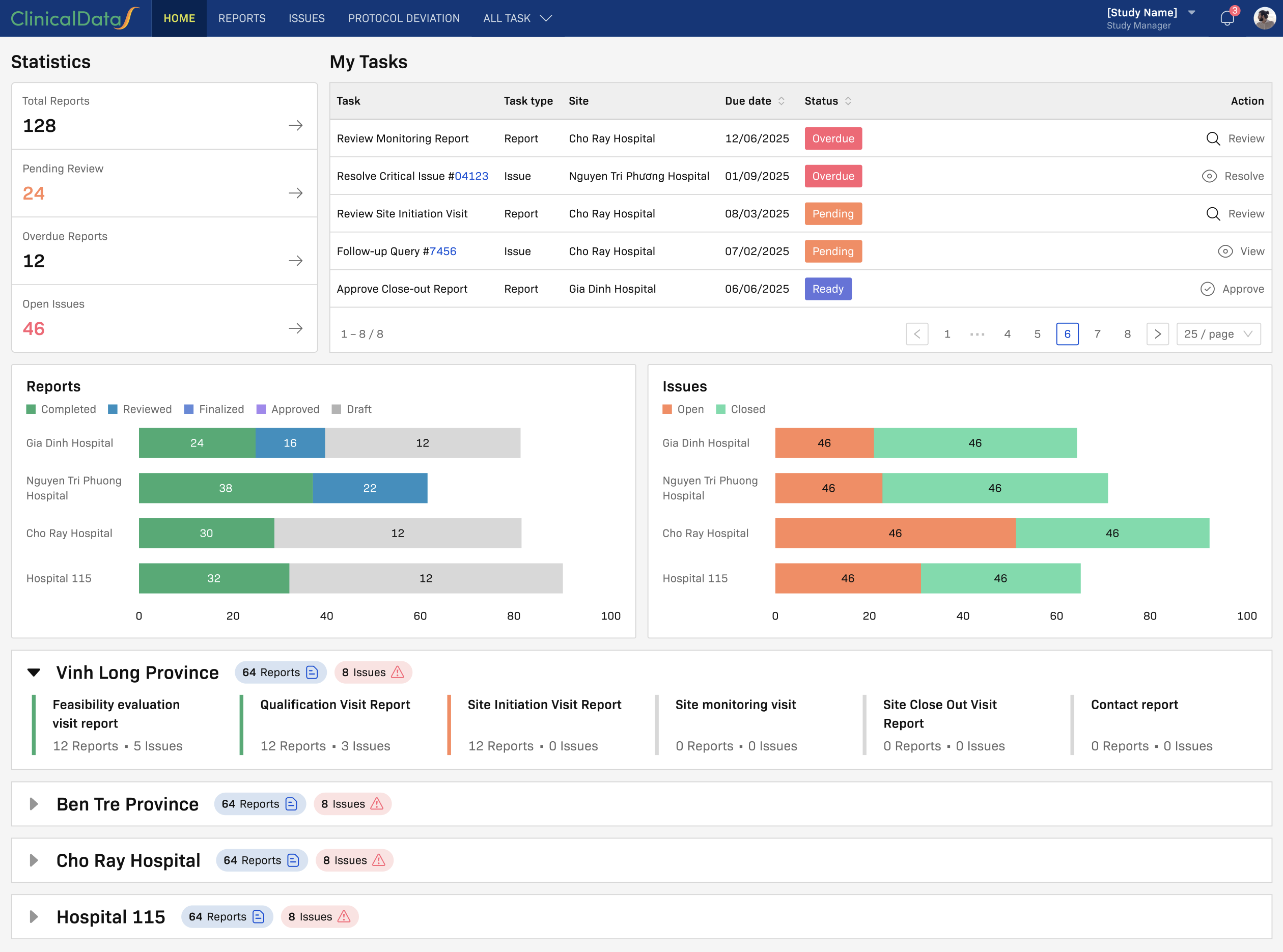
The Monitoring Visit Dashboard shows key operational metrics in one place:
- Reports — Count by status across all sites
- Issues — Open vs. closed, broken down by type, level, category, and month
- Issue Aging — How long issues have been open and time to closure
Click any counter or chart to drill into the filtered report list.
Where to Go Next
- User Guide — Step-by-step: navigate the dashboard, create reports, manage issues, link queries, use e-signature
- Role-Based SOP — Who does what at each status, with handoff procedures
- Configuration — Set up visit types, CRF templates, notifications, and dependency rules
- App Reference — Technical overview of the Monitoring Visit Report app